PUBLISHED FORMAT
Start with the platform
- Modular construction for temporary screen assemblies.
- Quick-connect interfaces support setup and removal.
- Front and rear servicing for maintenance planning.
Venus Rental LED Display / Rental LED displays
A serviceable modular platform for repeat event builds
A rental LED cabinet series for modular event screens, with quick-connect electrical interfaces and access from both sides for maintenance.
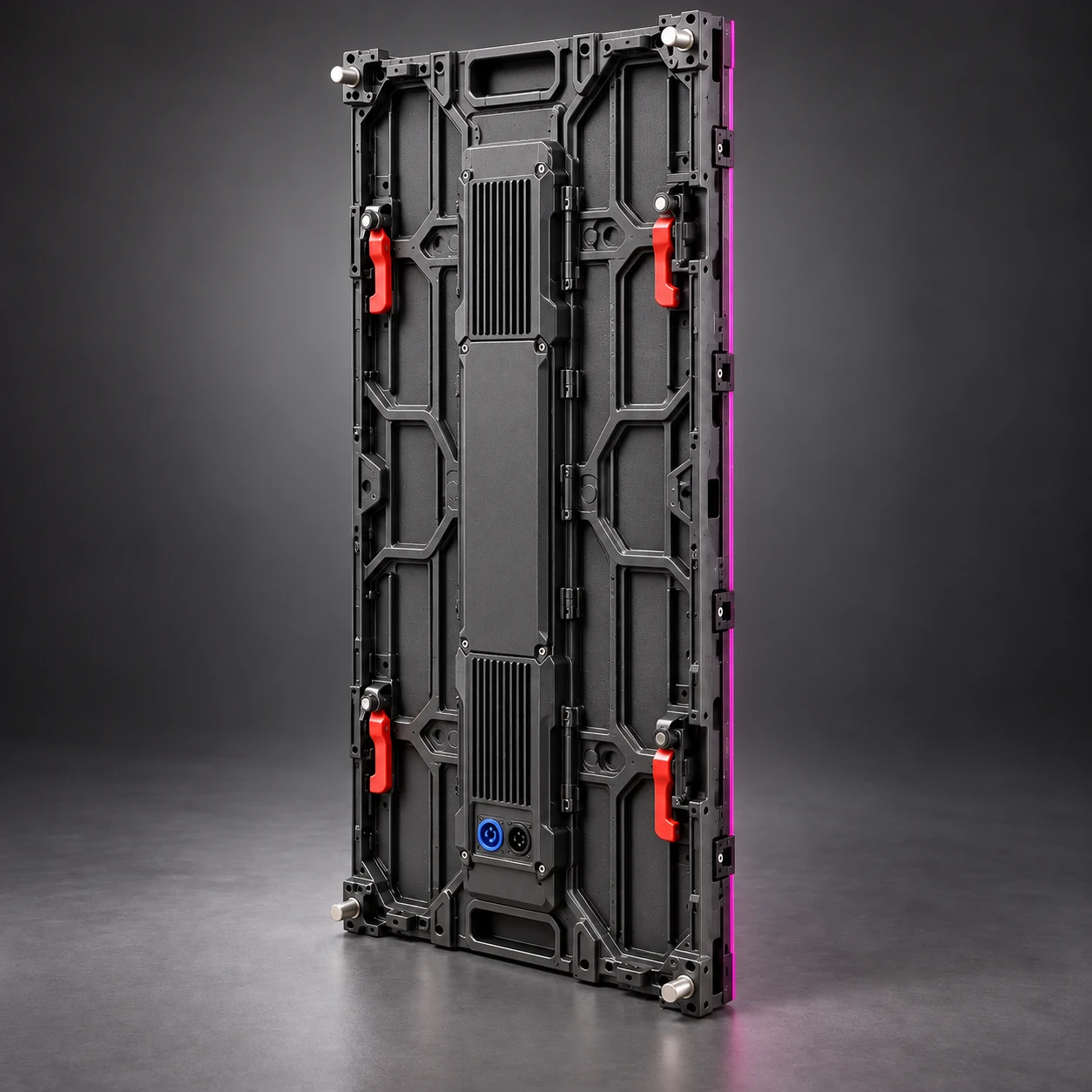
Selected product visualization · Final construction follows the approved configuration
2-year factory warrantyBao'an District, Shenzhen, China
Venus Rental LED Display / CONFIGURATION
Match the published platform to your application and record selected options in the quotation.
PUBLISHED FORMAT
SYSTEM & OPTIONS
CONFIRM FOR YOUR ORDER
Venus Rental LED Display / TECHNICAL DATA
Published values and configuration notes for this format.
Specifications describe a product series; confirm the selected pitch, cabinet drawing and operating conditions before ordering. The image is a generated product illustration, not a photograph of a delivered unit.
BEFORE YOU SPECIFY
Practical answers for the selected product format and its project requirements.
Compare the Venus-specific cabinet drawing, pitch, panel weight and approved assembly first. The published common features are 3840 Hz refresh, front / rear maintenance and quick-connect power and signal; these do not establish mechanical interchangeability.
Specify panel protection, case capacity, loaded case dimensions and gross weight, plus the route from storage to the event position. Agree spare modules and maintenance access alongside the final cabinet selection.
The selected screen and complete cabinet need a project-specific specification. Confirm the selected panel or pitch and final pixel canvas before preparing artwork. Read the specification note below for configuration limits and any source discrepancies.
Review the model specificationsPublished information: Power & signal: Quick-connect design. For this format, review series-specific pitch, cabinet drawing and structural limits. Agree the selected player, supported media, connectivity and licences in the quotation. Network capability, multiple faces and touch do not by themselves include every software function.
Discuss the content workflowConfirm indoor or outdoor suitability, approved loads, rigging or stacking limits and cable routing for the selected cabinet. A rental label does not establish a weather rating or a universal support method.
Review installation planningSend quantity, destination, installation photographs or drawings, intended content and operating schedule. Priorities for this format: Venus cabinet drawing and selected pixel pitch; Panel weight, structural loads and approved assembly; Controller, brightness and transport protection. Agree packing dimensions, gross weight and accessories separately from the display specification.
Define the quotation scopeUse this page’s model PDF for the currently published specifications. Request approved drawings and model-specific compliance documents for your selected configuration. KEDA provides a 2-year factory warranty; coverage, start date and service arrangements are recorded in the order agreement.
Read warranty and RMA termsVenus Rental LED Display / BUYER PREPARATION
Plan cabinet compatibility, assembly and transport before confirming your order.
Start with the published specification, then request documents for your selected configuration.
Download model specifications PDF Request drawings, packing & controller details Request applicable compliance documents Evaluate a cabinet for your equipment fleetSample format, availability, price and delivery scope are confirmed in the quotation.
SPECIFICATION-BASED FACTORY QUOTATION
Compare the same display configuration and delivery scope. Open a factor to review what it changes and what to share.
Final price, availability, production timing and freight are confirmed for your selected configuration in the written quotation.