Calculate the active canvas first
Each HB-X poster has a listed active display area of 640 × 1920 mm, a 1:3 portrait format. For a side-by-side row, multiply the active width by the number of units while keeping the same active height.
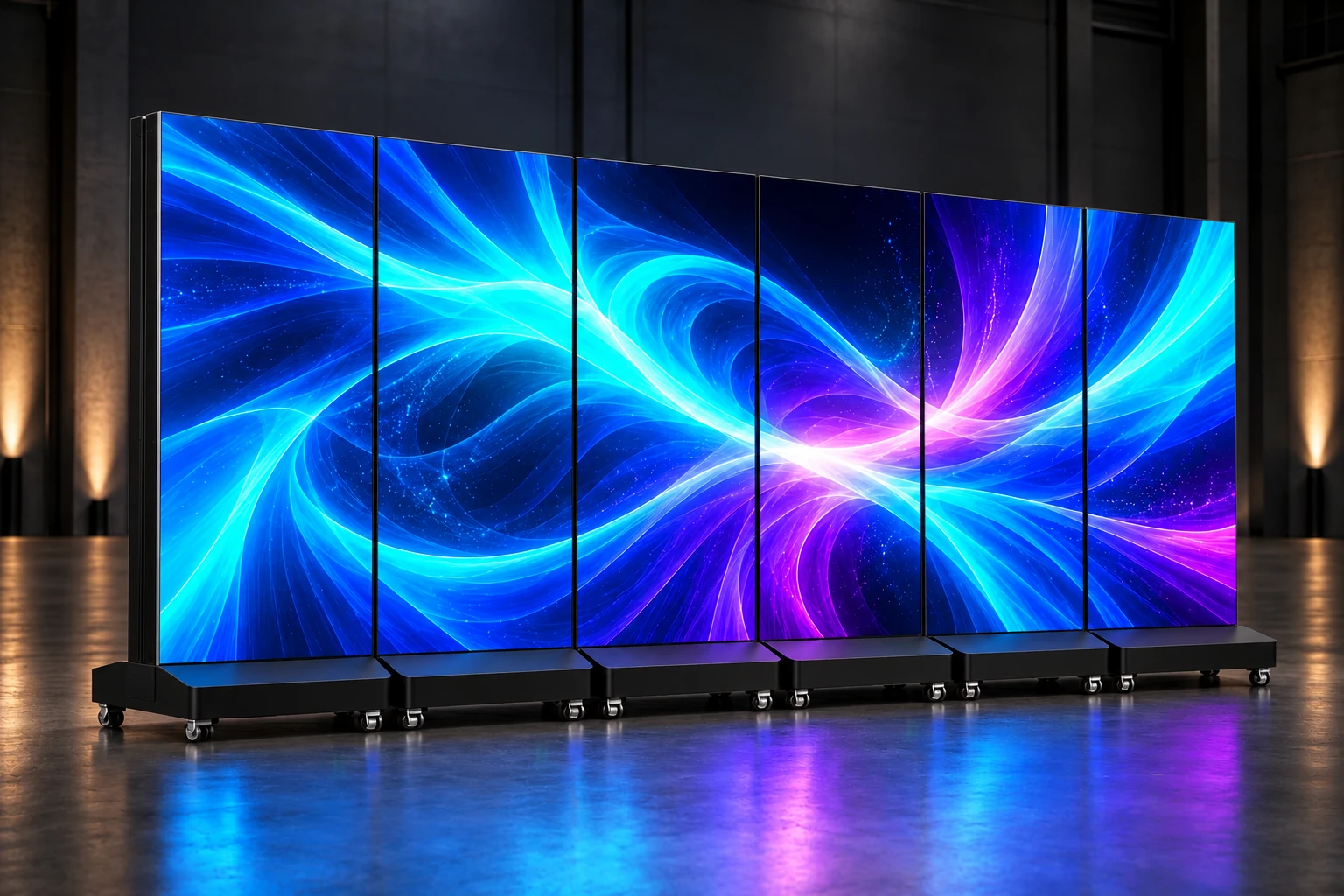
Three units give 1920 × 1920 mm, a square canvas. Four give 2560 × 1920 mm, a 4:3 canvas. Six give 3840 × 1920 mm, a 2:1 canvas. Six HB-X posters do not create a native 16:9 active area.
These calculations describe the illuminated display area. The listed single-cabinet width × height is 646 × 2050 mm; bases, physical seams and the approved joining arrangement need a separate footprint drawing.
The six-screen illustration is a generated planning render. Confirm the final cabinet layout and connections against the approved engineering drawings.
Prepare content for the selected pixel map
Physical dimensions and pixel resolution are separate specifications. A row of six HB-X1.86 units has a nominal combined pixel map of 2064 × 1032 pixels, calculated from six 344 × 1032 pixel displays. Six HB-X1.25 units give 3072 × 1536 pixels from six 512 × 1536 pixel displays.
Use matching models and pixel pitches for the proposed row. The final output map must be confirmed with the controller and seam layout; the pixel totals alone do not establish how every connection or image adjustment will work.
A 16:9 source video needs a deliberate fit into a 2:1 canvas. Choose letterboxing, cropping or a redesigned composition rather than stretching the picture. Preview small text, faces and logos across cabinet boundaries before approving the media.
- Unit count, row arrangement and selected model
- Final controller output width and height in pixels
- Source-media aspect ratio and scaling method
- Text and important image details near cabinet boundaries
Confirm control and synchronization
A joined physical layout and a continuous video image need an agreed control configuration. Ask the factory to identify the controller model, total pixel capacity, output arrangement and connection diagram for the complete row.
The HB-X brochure lists synchronous and asynchronous playback and app, USB, Wi-Fi and Ethernet publishing. HDMI and wireless 4G are configuration-dependent options. Specify whether the project uses a live input, scheduled local content or remote updates, then confirm which hardware and software are included.
For moving content, request a demonstration of the proposed multi-unit setup. Review playback timing and the appearance of a continuous image with your actual media; a single-poster demonstration does not establish the performance of the full arrangement.
Plan power and inward-facing connections
Power values differ by model. For example, the brochure lists 430 W peak power per HB-X2.5 unit, so six units total 2580 W of listed peak display load. This total excludes any additional controller or site equipment and is not a complete electrical design.
The series lists a 110–240 V supply range. Have the installation team check the final input configuration, circuit capacity, protection, grounding and local electrical requirements. Average power figures are useful for planning, but actual consumption changes with the content and brightness setting.
Each HB-X cabinet has one front display face. In the joined layout, keep the power and data connections on the inward or service side, away from the audience-facing base. Confirm cable access, bend clearances and routing in the cabinet drawing, and keep leads out of visitor circulation and wheel paths.
Review placement and service access
The brochure lists 43 kg net weight and four swivel wheels per poster. A six-unit group therefore has 258 kg of listed display net weight before controllers, packing or other equipment. Check the venue floor, movement route, base stability and permitted handling method for the complete setup.
Allow room for the approved joining hardware, cable access and maintenance. Do not assume that a cabinet drawing alone establishes the safe base footprint or the installation clearances.
The factory confirms an IP54 front rating for HB-X. This is a front-side protection specification, not a whole-cabinet outdoor approval. For a shopfront, sheltered entrance or exposed venue, ask for a location-specific suitability review.
Define packing and the acceptance check
Request the case type, units per case, packed dimensions, gross weight and total shipment volume. Flight cases can be quoted as an option; the approved case capacity and shipment gross weight must come from the packing proposal.
Agree on an acceptance check for the complete configuration. Include the controller and cable list, media map, image alignment, playback test, power documentation and handling instructions in the scope.
Ask for the agreed accessories, spare-parts list, warranty coverage and support process in writing. Confirm the required model-specific conformity documents for the destination rather than assuming one document covers every configuration.
- Approved cabinet and joining-layout drawing
- Controller, connection diagram and final pixel map
- Playback review with the intended media
- Packing dimensions, gross weight and freight scope
- Agreed support, warranty and required documents
Send a complete multi-screen inquiry
Share the application, number of units, viewing positions, available floor space, sample media, destination and target project date. Include a floor plan or location photos when contacting the team by email.
Use the project inquiry below to start with Custom Multi-screen Cascade selected. If you need layout drawings or a controller review first, choose the engineering-document request. Final specifications, packing and commercial terms will be confirmed in the quotation.
Product documents & next steps
Use the original documents alongside this guide. Confirm the final specifications, available options and commercial terms for your selected configuration.
Ready to specify your display?
Tell us the application, quantity and destination. Add your viewing and content requirements so we can discuss a suitable configuration.
Send a project inquiry Request engineering documents →