Choose the format before comparing quotations
Compare offers for the same architecture and intended environment. The HB-X1.86 example below is one defined baseline; it is not a default choice for every project.
Upright HB-X
Compare the HB-X pixel pitches for your content and viewing positions. Ask for model advice before committing to a pitch.
Upper–lower folding
The Vertical-fold LED Poster folds between its upper and lower sections. Review its own drawing and deployment requirements.
Three-panel folding
Tri-fold LED Poster uses three folding panels. Compare the published display size and confirm the folded arrangement for your project.
Outdoor placement
Use the separate Outdoor LED Poster series as a starting point. The selected enclosure and actual site conditions still need confirmation.
Not decided yet
Describe where the display will stand and what people need to see. You can start an inquiry with the model left open.
Put every offer on one specification
This guide covers modular, direct-view LED posters. LCD signage with LED backlighting uses a different display technology and should be identified as a separate option in your comparison.
Start with the approved project requirement, then mark each quotation against it. Match the model, quantity, active area, pixel resolution, brightness and intended operating conditions. Similar cabinet photographs do not establish equivalent displays.
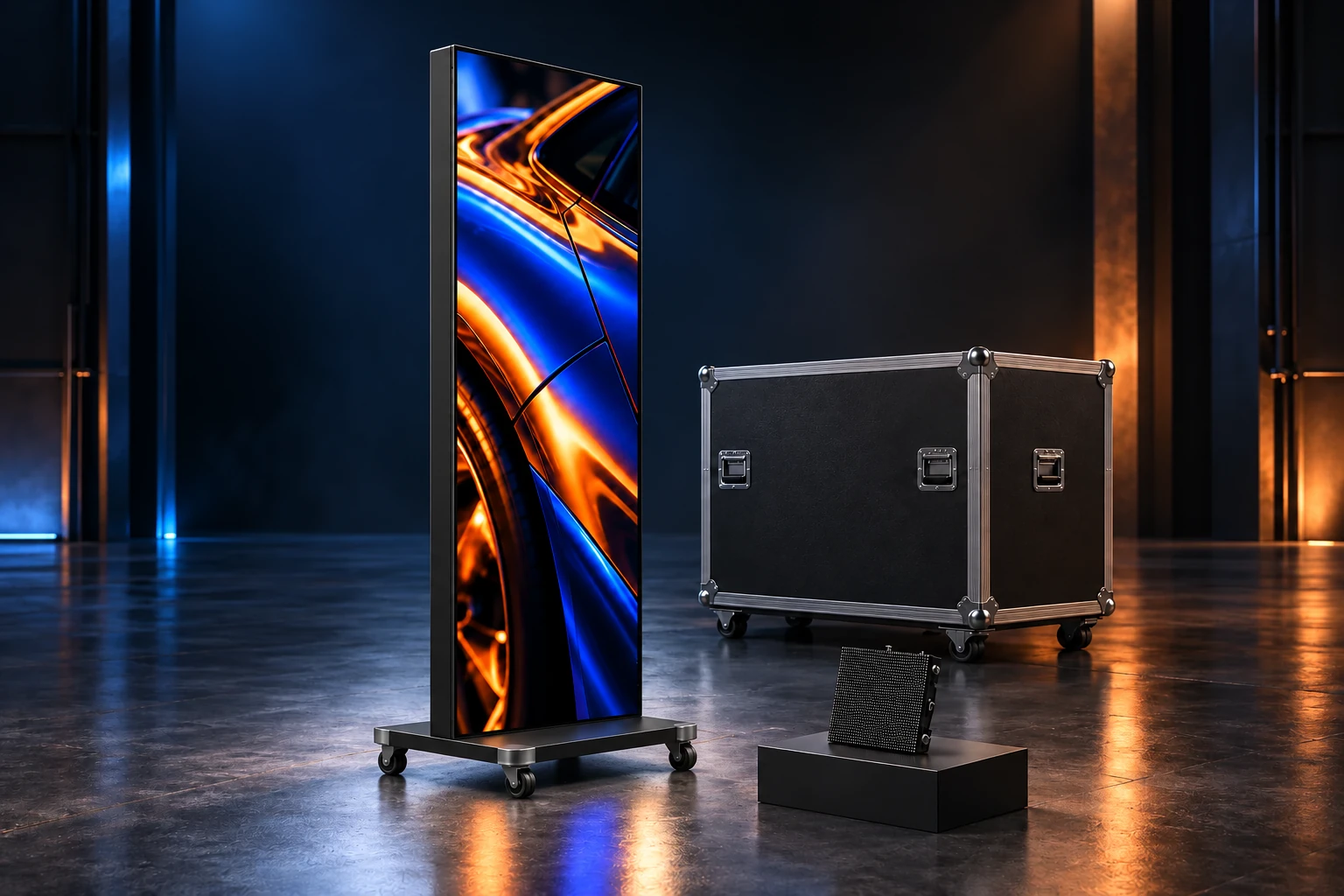
For example, KEDA HB-X1.86 lists a 640 × 1920 mm active area, 344 × 1032 pixels, 1000 nits and 43 kg net display weight. Its IP54 rating applies to the front; it does not establish outdoor protection for the complete cabinet. Use those details as a defined baseline, while checking whether each alternative meets your actual viewing and placement requirements.
Check the published HB-X1.86 specifications
Mark what each quoted total includes
Create a column for each supplier beside this matrix. Enter the quoted amount or mark each item “included”, “excluded” or “awaiting confirmation”. Treat a blank as unresolved, rather than free. Link every entry to the relevant quotation revision.
| Cost block | Match across offers | Evidence to request |
|---|---|---|
| Display equipment | Model, quantity, base and cabinet configuration | Itemised equipment list and specification |
| Control and content | Controller, inputs, software, licences and required playback | Named hardware and confirmed functions |
| Accessories and spares | Cables, joining parts and compatible spare quantities | Part numbers, quantities and separate charges |
| Packing and transport | Case type, delivery destination and transport legs | Packed dimensions, gross weight and freight scope |
| Destination and site costs | Clearance, duties, taxes, unloading, positioning and commissioning | Included charges and responsible party |
| Support | Warranty coverage, service route and parts freight | Written coverage and responsibility terms |
Use the same quantity and destination throughout. Record a cost only once when it is already included in another line.
Calculate the delivered project cost
First total the displays, required control equipment, accessories, agreed spares and packing. Then add the transport, destination and site costs that your team must pay separately. The result is a working project budget, with unresolved charges shown alongside it.
Check the named delivery point and responsibility for every transport leg. A quote to a destination port and a quote to your premises have different remaining costs. Obtain applicable freight and import charges for the actual shipment; do not estimate shipping weight from the 43 kg net display figure.
Record quotation currency, validity and payment milestones. If your purchasing team converts offers into a budget currency, use one documented conversion basis for all offers and retain the original amounts.
Check the configuration behind a price difference
Ask the supplier to explain meaningful differences line by line. A quotation can become cheaper by changing the pixel pitch, reducing the spare-parts allocation or supplying a different content workflow. Decide whether that change still meets the brief before treating it as a saving.
For HB-X, HDMI and wireless 4G are configuration-dependent options. Brochure references to publishing methods do not confirm the supplied controller, software licences or remote-management arrangement. Likewise, a battery, folding structure or flight case needs explicit confirmation. For joined posters, compare the complete controller and connection scope.
Compare service responsibilities as well as warranty length
KEDA states a two-year factory warranty. The start date, covered components, exclusions, spares and freight responsibilities belong in the written quotation or order agreement. Compare those terms across suppliers: the same warranty duration does not establish the same service arrangement.
Identify who diagnoses a fault, supplies a compatible part and pays any agreed return freight. Keep unpriced service obligations visible when presenting the purchasing recommendation.
Close the gaps before approving a revised quote
Ask shortlisted suppliers for a revised offer that incorporates their answers. Before approval, check that you can tick every item below.
- The model, quantity and configuration match the approved comparison.
- Controller, software, options and spares are named and priced.
- Packing, delivery point and destination charges have clear owners.
- Site work and commissioning are included or budgeted separately.
- Applicable model-specific documents and acceptance checks are agreed.
- Validity, payment terms, warranty and outstanding exceptions are recorded.
Should I choose the lowest unit price?
Choose it when the confirmed package meets your requirements and its complete project cost is preferable. If another offer includes essential equipment or services, add those missing items to the lower quote first. Request clarification rather than assigning an optimistic allowance to an unknown.
Can I compare factory pickup with a delivered quotation?
Yes, once you bring both to the same named delivery point and site scope. Add the pickup offer’s missing logistics and destination costs using confirmed proposals. Check for overlap in the delivered offer. Until those figures and responsibilities are clear, retain both original totals without ranking them as equivalent.
Product documents & next steps
Use the current product documents alongside this guide. Confirm the final specifications, available options and commercial terms for your selected configuration.
- Samsung: direct-view LED and LCD display technologies (25 August 2022)
- HB-X1.86 published model specifications
- Engineering guide: controls, packing and project confirmations
- Factory warranty and RMA responsibilities
- Resources: published specifications and configuration-document requests